Products
Steer
Every Google Ads account you run, checked every hour. You approve, Steer does the work.
Steer runs the weekly Google Ads routine for every account you manage. It reads the numbers every hour, writes up each change with its reason and the before and after, makes the changes you approve, and sends client reports on schedule.
- Google Ads
- Agencies and in-house teams
- Meta Ads next
Inside Steer
What your team sees every day.
01Overview
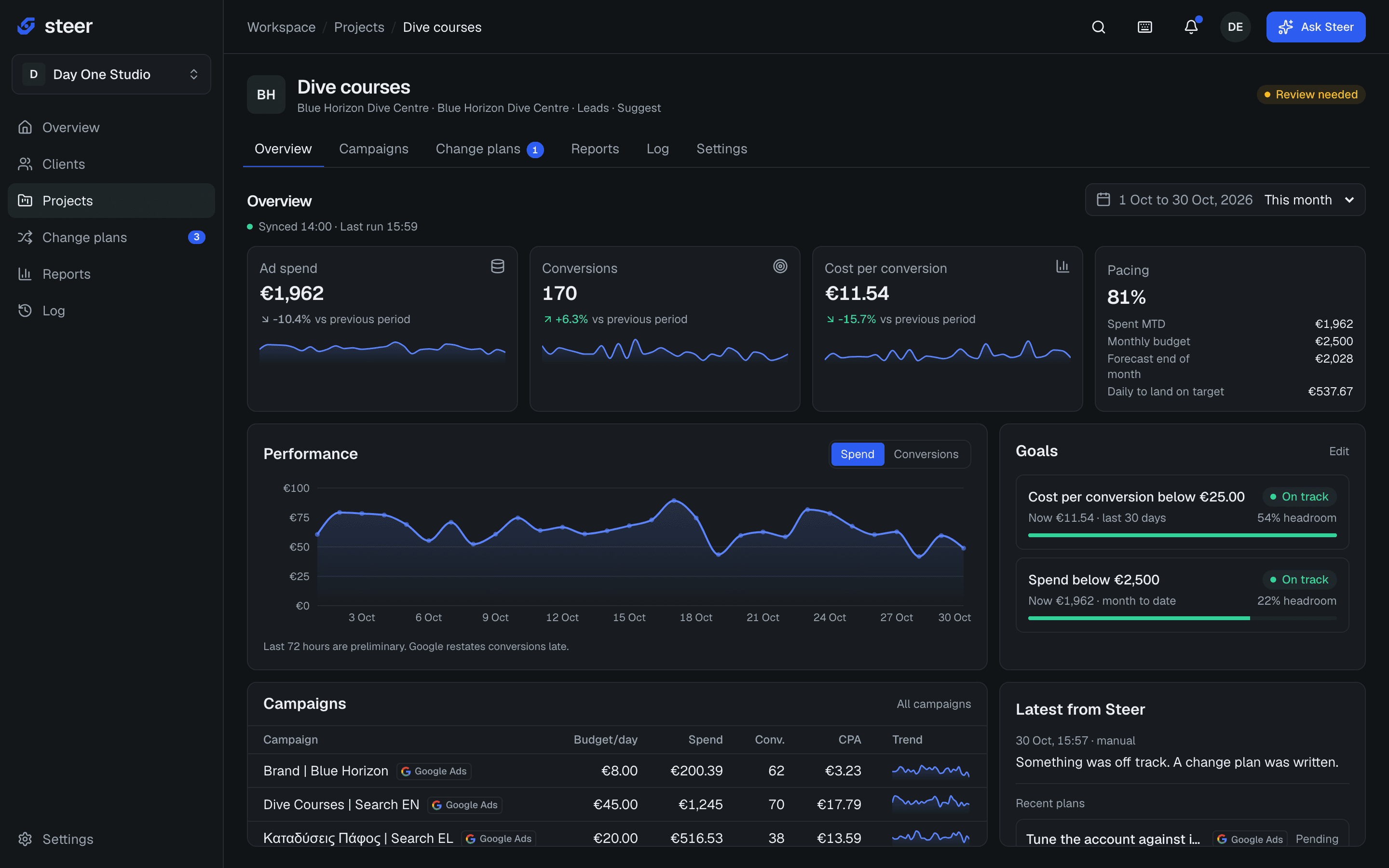
Every account at a glance
Spend, conversions, cost per conversion and pacing for each project, with the client’s goals beside them.
02Change plans
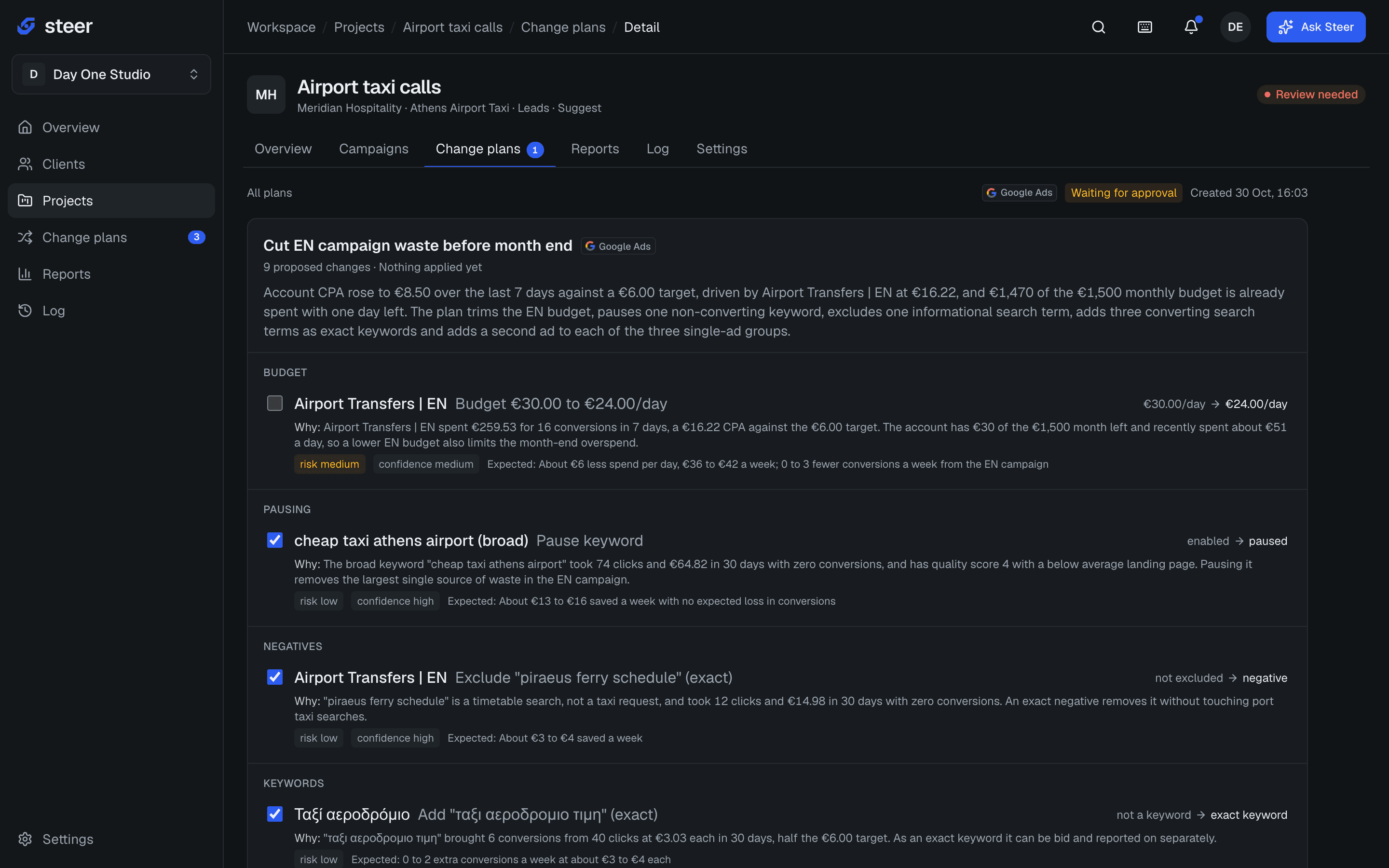
Every change, with the reason
What changes, why, the expected effect, and the before and after. Approve all of it, some of it, or none.
03Ask Steer
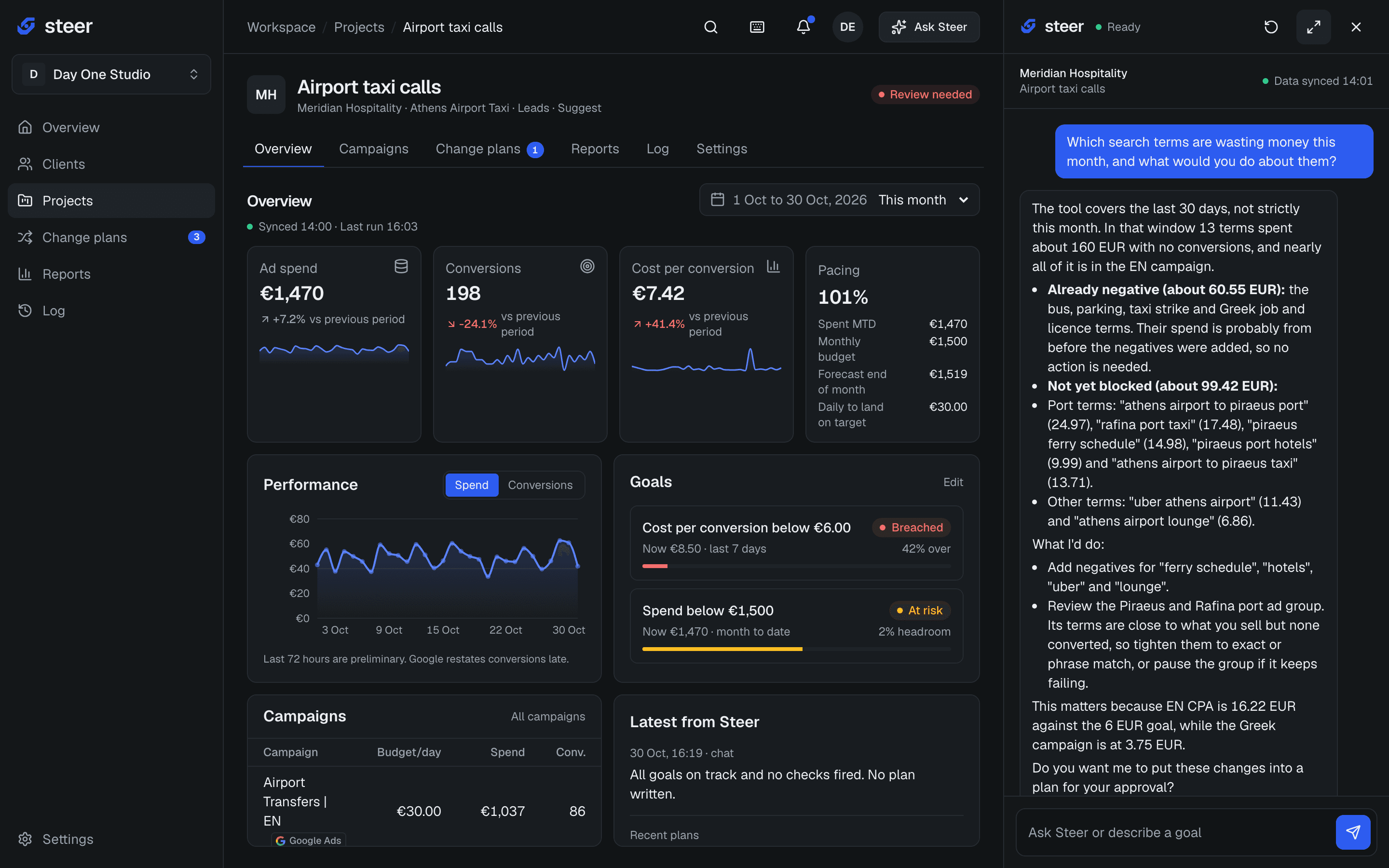
Ask about any account
Ask in plain language and get the answer from the account’s own numbers, from search terms to pacing.
04Campaigns
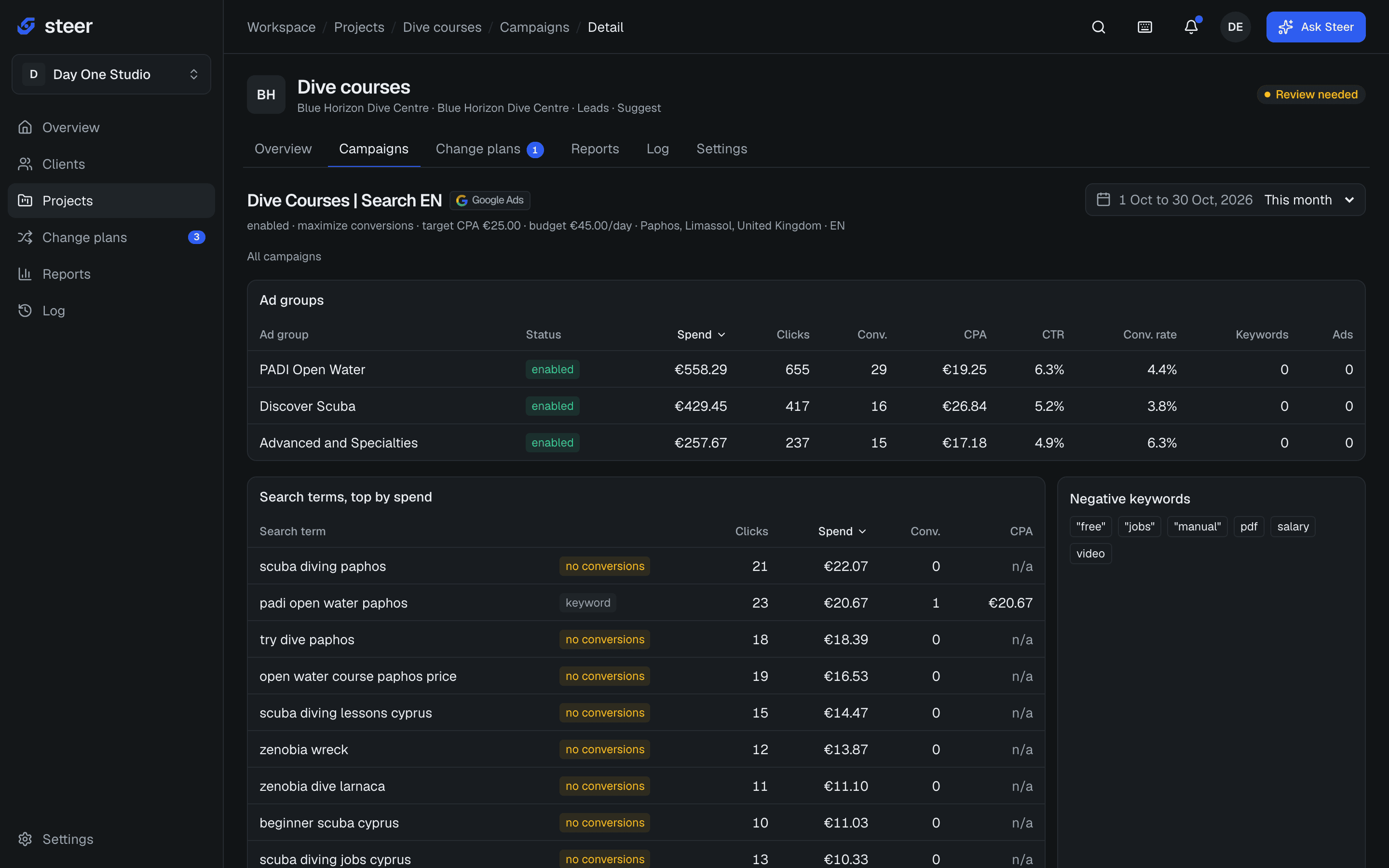
Campaigns down to the search term
Budgets, spend, conversions and cost per conversion for each campaign, ad group and keyword, with the search terms behind them.
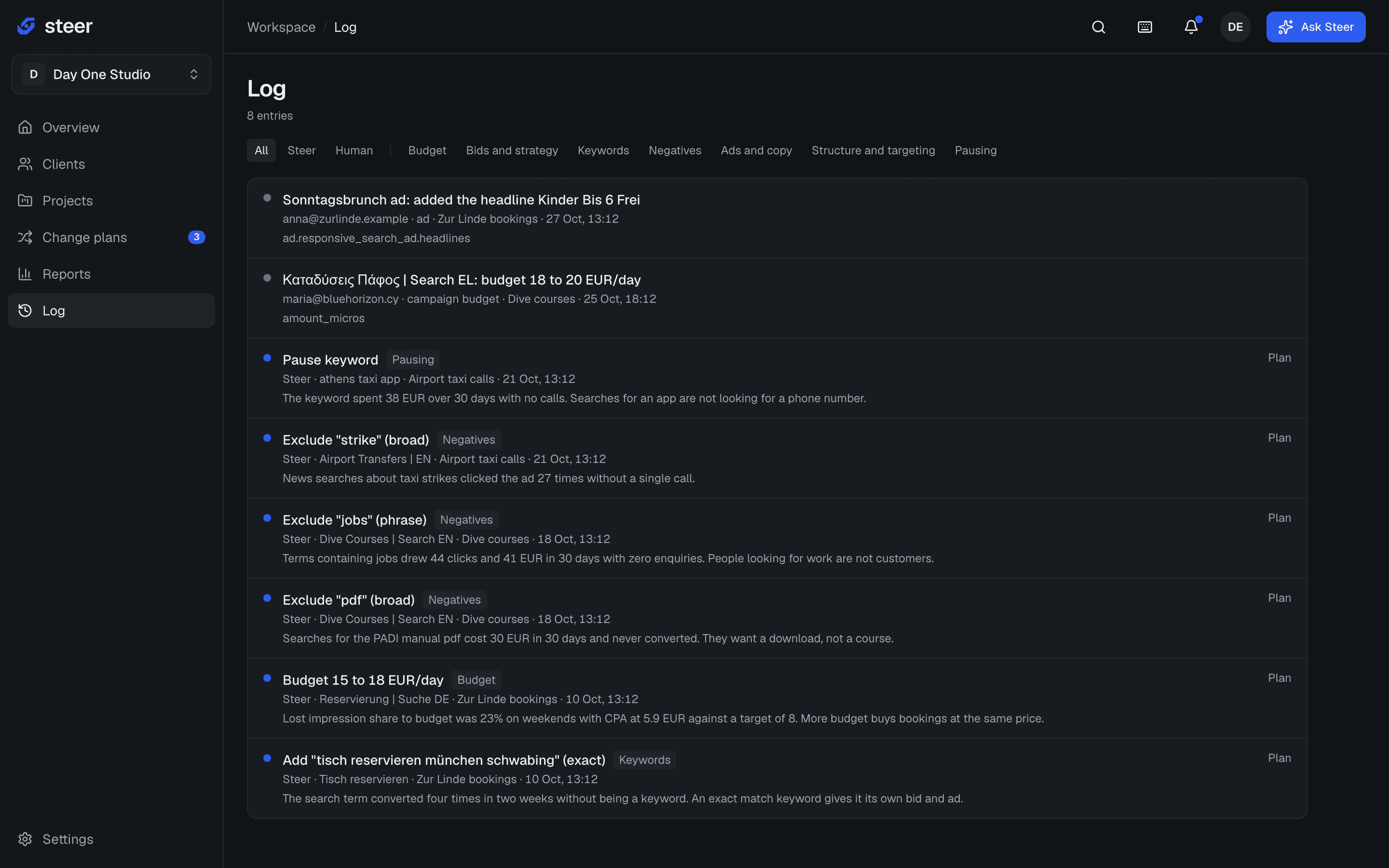
05Log
Every change on record
Every change Steer or your team made, with who, when and why. Any change can be rolled back for seven days.
What it does
Every account, every hour
Search terms, budgets, bids, ads and keywords, synced hourly and checked against each client’s goal.
Each change, explained
Every plan shows what changes, why, the expected effect, and the before and after. Any change can be rolled back for seven days.
You stay in control
Suggest mode holds every change for one-click approval. Autopilot runs only the categories you trust, with budget caps, quiet hours and a kill switch per client.
Goals in plain language
Set each client’s goal in a chat inside the project, such as “reservations under €6 each”. Steer measures every change against it.
Reports that send themselves
Daily, weekly and monthly client reports with your agency’s logo, as PDF and by email.
Who it is for
Agencies running Google Ads for many clients from one workspace
Account managers who want their week back
Businesses that run their own Google Ads and want a second pair of eyes
Demo
See it in action.
A short walkthrough, then a plain conversation about whether it fits how you work.